Last week I wrote about the new Foursquare 3.0 updates and all of the cool goodness business owners can take advantage of to attract and keep customers at their location, but if you're new to location-based services like Foursquare, Yelp, Facebook Places and even Google Maps you might be wondering how to get started with managing your business on these websites. The first and most-important step is to claim your business! It's free, it's easy, and before you know it you'll be up and running which lets people check-in and review to their hearts content. Let's get started with Google Maps
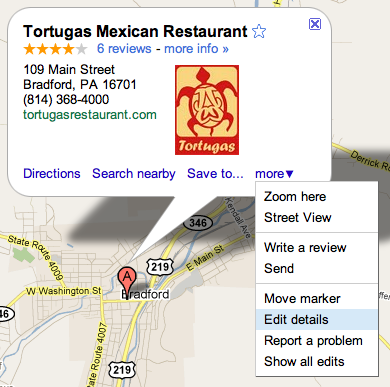
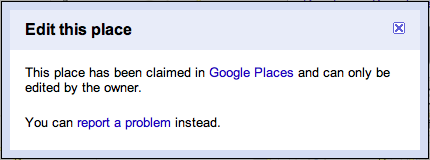
The first thing you need to do is check and see if your business is already listed on Google Maps. The easiest way to do this is to visit Google Maps and search for your business. If your location is shown, click on the marker, select the "more" link with the down arrow next to it, and click the "Edit details" button. If you are directed to a page that lets you edit your location's details you know that it hasn't been claimed yet. Alternatively, if you see a box like the one below, you or somebody else has already claimed this location!
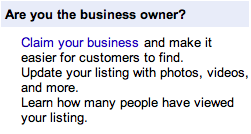
If you didn't find your business when you searched for it on Google Maps you'll want to create a new listing. You can do this by visiting the Google Places homepage and clicking the Get Started button. Follow the prompts on screen to list and claim your business.
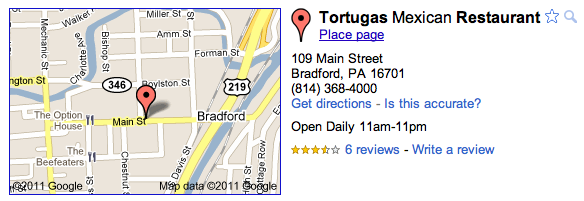
Okay, you have control of your Google Maps listing, now it's time to take advantage of the features and options Google provides to make it easy for people searching for you to find more information about your location. The first and easiest thing to do is fill out all of the details for your location. Insert the phone number, website address, hours of operation and if you're a retail location the sorts of payment you accept. Select the category that best fits your business as this helps with search keywords. Maybe someone doesn't know the exact name of your business but they're looking to make a purchase in your category - you wouldn't want to miss out on a new customer! Finally, be sure to include as many meaningful photos of the location, as this will help customers find you more easily!
Finally, if it applies you can even create special coupons for your location through Google Maps. After claiming your business, login to your Google Places account and visit the Coupons tab. Once your coupon is finished and saved, it'll be displayed alongside your listing in Google Maps - now potential customers have yet another reason to visit you!