Most small businesses that we work with have not taken a social media step beyond Facebook. Most have only used Facebook because they are using it personally. Many have created a Facebook business page for their company but rarely, if ever use it. Facebook is not always the best place to focus, but because they already "know" how to use Facebook, that's where they start. Twitter is often overlooked by small business owners because they don't use it personally. If they were already on Twitter and had "figured it out", chances are they would have a business Twitter profile as well. This post aims at removing the "figuring it out" step that so many business owners put off.
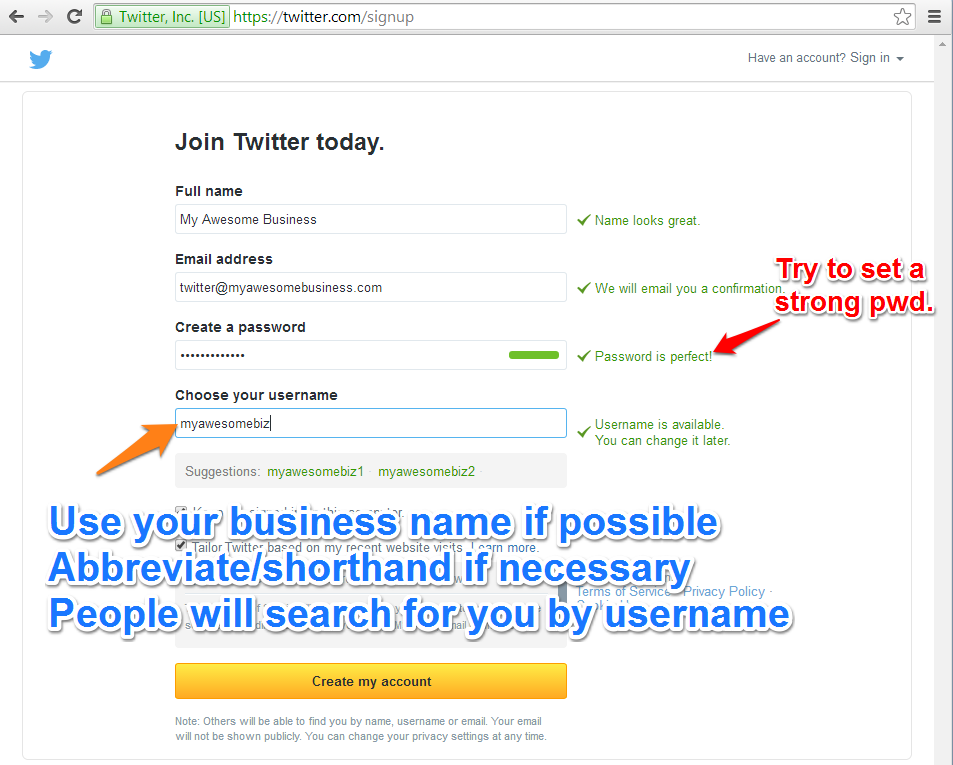
I'm not even suggesting that you create a personal Twitter account...yet. To start, let's just focus on using Twitter for work. The obvious 1st step here is creating a Twitter account for your business. Even if you highly doubt you'll use this account much, we recommend at least creating the account so that you control the Twitter handle (e.g., @protocol80) that represents your company. There's really nothing stopping your competitors from claiming your company's name on Twitter.
The photo, bio and further setup of your account are paramount to achieving success. We've covered these additional steps extensively in this ebook:
STOP! Did you grab the ebook in Step 3? If not, do it. It covers really important information on your profile picture, background and bio. If you have, feel free to proceed....
This is where you are more than likely going to get held up. You have this bright, shiny new Twitter account but you have no clue how to use it. That's OK. We need to start by listening... NOT speaking. Don't immediately start using Twitter as a megaphone. Also, remember that this is your business account. Don't post pictures of your cat and kids unless they are working for you.
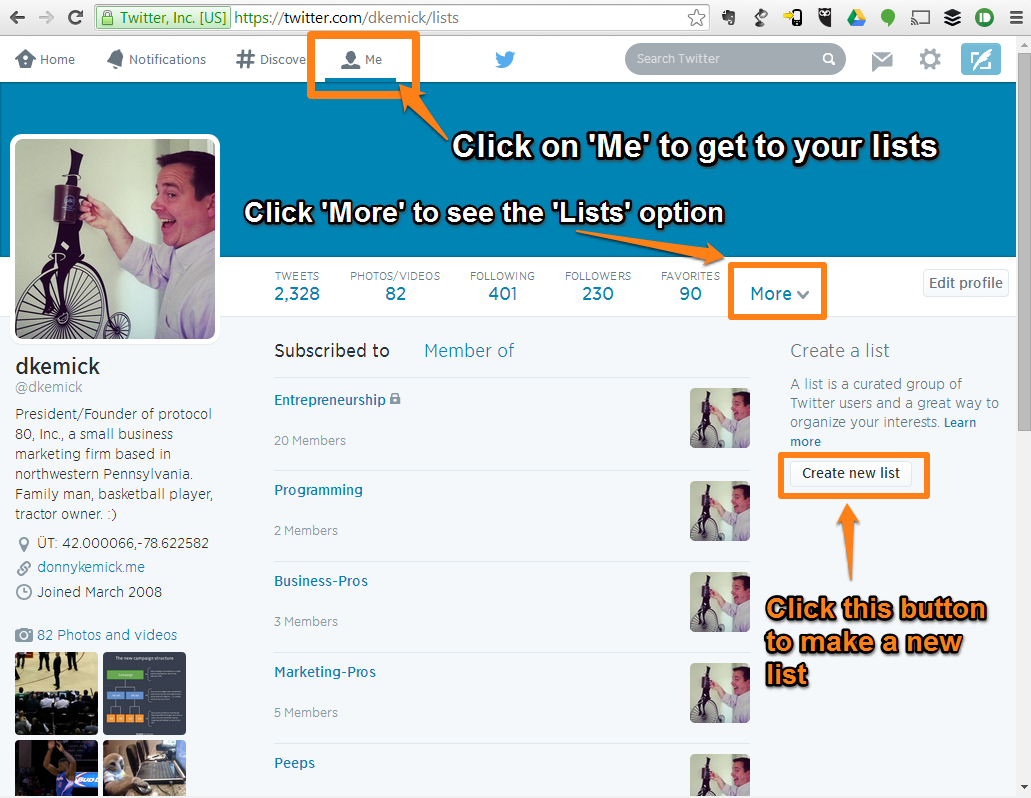
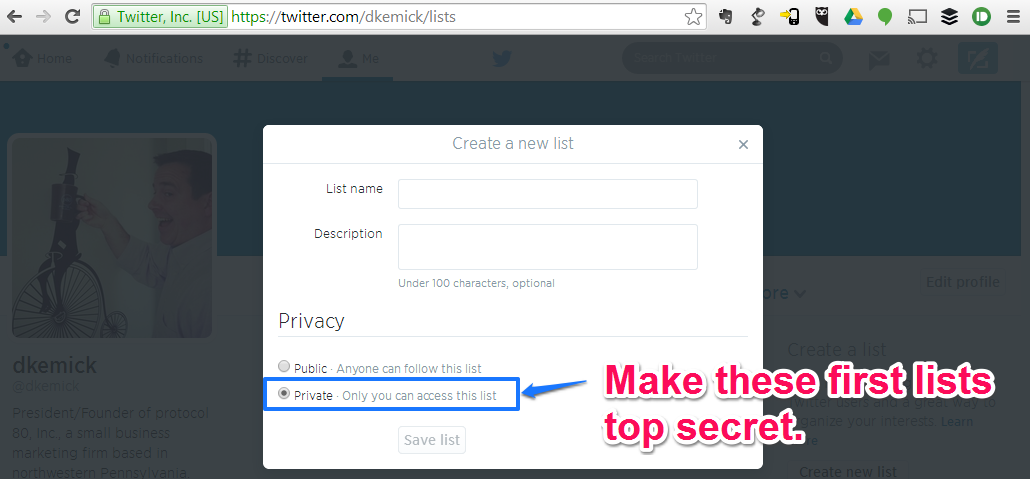
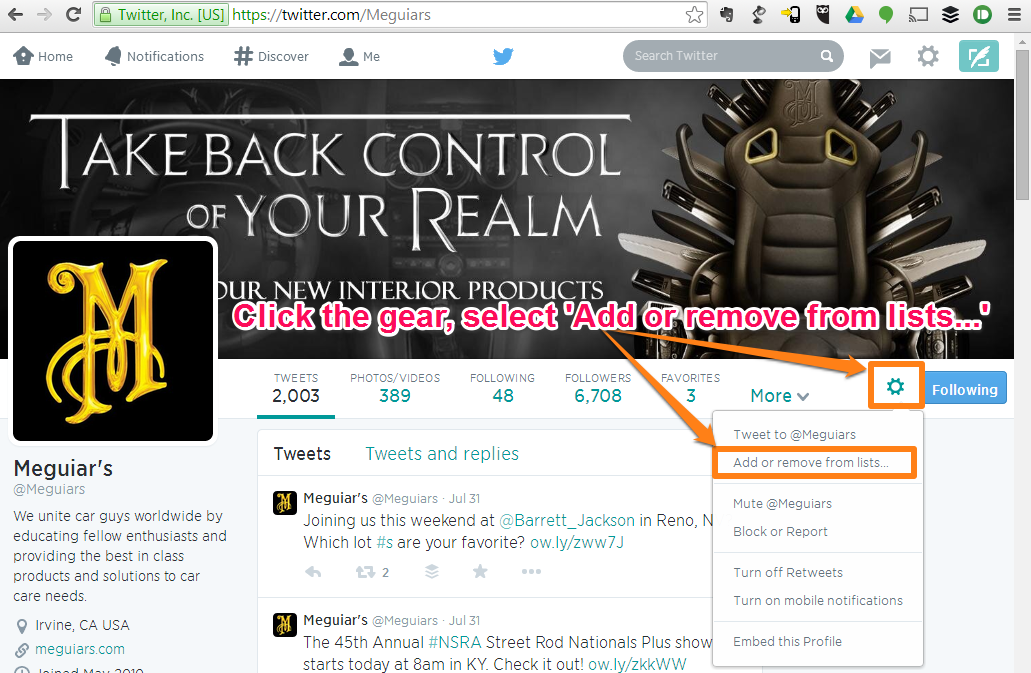
My top recommendation for anyone getting started with Twitter for business is to create a couple of Twitter lists to organize the people/brands/companies you follow into buckets. Before we address the buckets to use, lets look at creating Lists in Twitter.
OK, now let's discuss the lists or buckets we want to make. Because we're just getting started with Twitter, we want to do some learning and watching before we start communicating. To do this in an organized way, I recommend setting up the following lists:
After following the steps above, we want to:
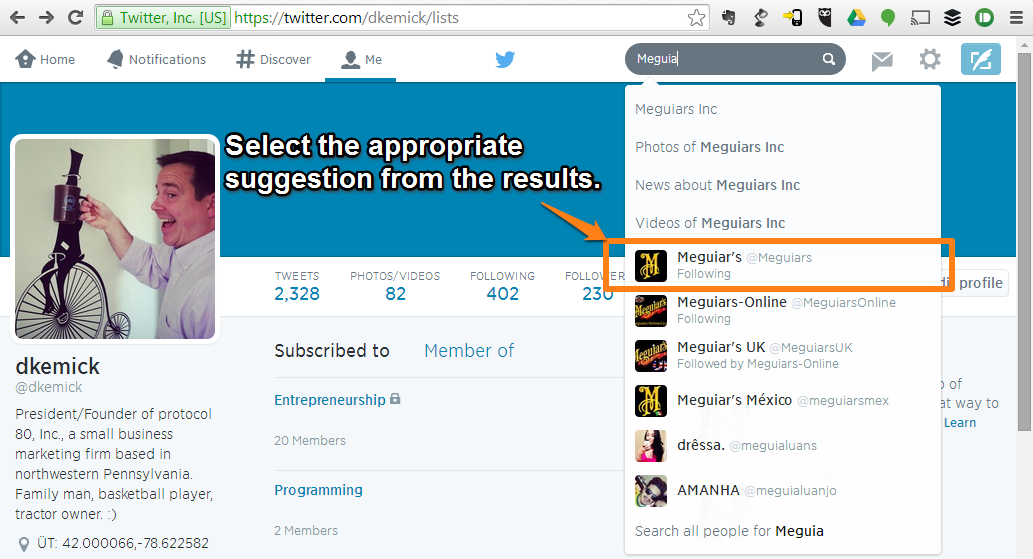
You should now have some lists setup in your Twitter account. These lists are fairly pointless right now because there's no one in your lists! To add the appropriate accounts to your lists, you'll need to search for them as follows:
Rinse, wash, repeat for all of your competitors, clients/customers, vendors, etc...
Now that you have some some accounts on your lists, you should take 5 minutes each day and look at the lists to see what they are posting. Use the steps above to find the lists option for your profile (under Me > More > Lists) and select the list you want to view from list of lists. When you click on the list, it will show Tweets from the accounts in your list.
This is where you learn and research. I recommend having a note-taking device at arms reach to start jotting down ideas for your tweets. You may find that your competitors list yields insights about how they are marketing that you can benefit from. You may find that your vendors are having a special that you can take advantage of. You may find that your clients have an issue that you could help with.
These lists are meant for you to do some research and listening before you start broadcasting. Try to get a feel for how people communicate on Twitter and how others are effectively using it before you jump right in.
After you have monitored daily for a couple of weeks and have some thoughts on how to use Twitter for your business, you're ready to communicate. For the next week, when you spend your 5 minutes a day monitoring your lists, select 2-3 tweets and simply click the favorite or retweet buttons. If you retweet someone, you can add some of your own insights, or just retweet it. This is a great way to help your followers and get more followers.
After a week of retweeting, send your first tweet. Don't be surprised if it gets no interaction. That will come over time as you tweet, retweet and follow more users more often. Be sure to continue following other accounts. This leads to you getting more follows and will yield even more valuable information.
I can't stress enough that you have to crawl before you walk. You must spend time listening first. Over time you can start following news sources, sports teams, etc... and you will find yourself using Twitter more often.